
Digital Banking Is Getting an Upgrade!
A Better Way to Bank—Anywhere, Anytime
We’re excited to introduce our new Digital Banking experience launching September 14, 2026.
Designed with our members in mind, the upgraded platform delivers a more modern, secure, and user-friendly way to manage your finances whenever and wherever you need access.
What’s New?
- Easier navigation
- Enhanced security
- More self-service tools
- Improved mobile banking experience
- Better card management through Card Hub
- Personalized dashboard options
- Convenient access to Zelle and Bill Pay
Important Information Before Launch:
Action Required: All Digital Banking Users Must Re-Register
As part of the upgrade, all members who use Online Banking or Mobile Banking will need to complete a one-time registration process after launch.
You will be asked to:
- Create a new username (cannot be your account number)
- Create a new password
- Verify your identity
- Set up your account preferences
Service Downtime Window:
Start: Friday, September 11, 2026, at close of business.
End: Monday, September 14, 2026
During This Time:
- Online & Mobile Banking will be unavailable
- Bill Pay and transfers will be paused
- Debit, credit and ATM cards will not be impacted
- Bossier Federal’s five ATMs will be down
What You Should Do:
- Plan any payments or transfers ahead of time
- Ensure your contact information is up to date
- Watch for updates by email, mail, website and social media
Digital Banking Built for You:
Our new Digital Banking platform combines powerful tools with a modern design to help you stay in control of your finances.
Easy to Use:
- Clean, modern dashboard
- Consistent experience across desktop, tablet, and mobile
- Faster navigation and simplified menus
- Customizable views and preferences
- Optional Dark Mode
Secure & Reliable:
- Multi-factor authentication
- Trusted device recognition
- Enhanced fraud detection
- Advanced account protection
- Secure messaging within Digital Banking
Manage Your Debit Card with Card Hub:
- Improved integration with Digital Banking
- Lock & unlock cards
- Set transaction alerts
- Add travel notices
- Report lost or stolen cards
- Request replacement cards
Move Money:
- Transfer funds between accounts
- Transfer money to external financial institutions
- Send money using Zelle
- Make loan and credit card payments
Pay Bills:
- Schedule one-time payments
- Set recurring payments
- Manage payees and payment history
Available Anytime:
- Check balances and transactions
- View account history
- Access eStatements
- Manage accounts 24/7
Deposit Checks:
- Deposit checks securely using your mobile device
Mobile App Users:

Android Users:
- Delete the current Bossier Federal app
- Download the new Bossier Federal Mobile Banking app
- Complete registration

Apple Users:
- Update to the newest version of the app
- If automatic updates are enabled, the update may occur automatically
- Complete registration
Frequently Asked Questions:
Q – Why is Bossier Federal making this change?
A – We’re investing in a better digital banking experience that provides improved security, more self-service features, and easier access to your accounts.
Q – Will my accounts change?
A – No. Your accounts, balances, account numbers, and transaction history will remain the same.
Q – Do I need to register again?
A – Yes. All Digital Banking users must complete a one-time registration after the upgrade.
Q – Why do I have to register again?
A – We’re moving to an entirely new Digital Banking platform. Re-registration helps protect your information and allows access to the platform’s new features.
Q – Will my transaction history transfer?
A – Yes. Your balances and transaction history will be available after you log in.
Q – Will my scheduled transfers carry over?
A – Yes. Existing scheduled transfers will carry over to the new platform.
Q – Will my Bill Pay information transfer?
A – In most cases, payees, recurring payments, and payment history will transfer automatically. We recommend reviewing your information after your first login.
Q – Will my eStatements still be available?
A – Yes. Your current eStatement enrollment and previously issued eStatements will remain available.
Q – Can I transfer money to other financial institutions?
A – Yes. You can securely link eligible external accounts and transfer funds between institutions.
Q – Will Zelle still be available?
A – Yes. Zelle will remain available and will appear as a separate menu option in the new platform.
Q – Is Digital Banking secure?
A – Yes. The new platform includes enhanced security features such as multi-factor authentication, fraud monitoring, secure messaging, and advanced account protection tools.
Q – What if I forget my username or password?
A – Use the “Forgot Username” or “Trouble Signing In?” options available on the login screen.
Need Help?
We're here to make your transition as smooth as possible. Our team is ready to help before, during, and after the upgrade.
Available Resources:
- Step-by-step video tutorials (Coming Soon)
- Helpful online guides
- Phone support
- Secure messaging
- In-branch assistance
Video Tutorials:
Check out what’s new with our new Digital Banking Suite! Watch these video tutorials to learn more. Coming soon!

Upcoming Events
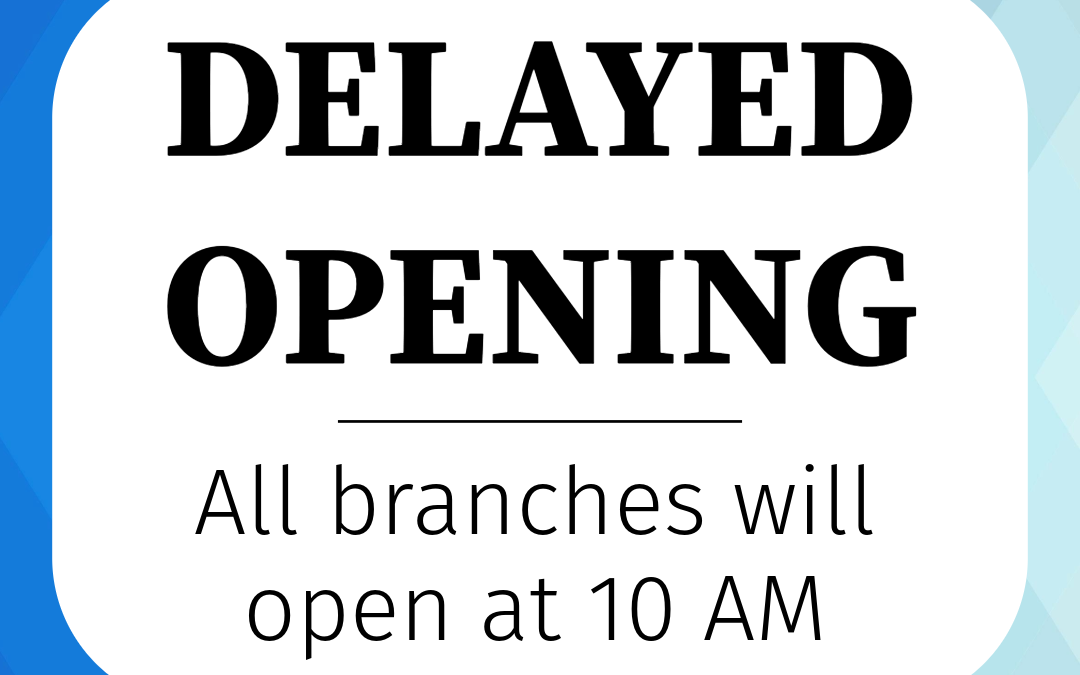
Delayed Opening
Notice: Delayed Opening All Bossier Federal Credit Union branches will have a delayed opening time of 10:00 AM on Monday, August 10, 2026. This includes all drive thru locations. Online & Mobile Banking will remain available. Thank you for your patience and...

Labor Day Closure
In observance of Labor Day our offices will be closed Monday, September 7, 2026. All offices will be open for regular business hours on Tuesday, September 8, 2026.




Copyright © 2026 Bossier Federal Credit Union | Site By On The Mark Strategies | Federally Insured by NCUA | Equal Opportunity Lender | Privacy Policy | Terms & Conditions | Fee Schedule | Site Map |
Third-Party Link Disclaimer - Bossier FCU (BFCU) does not endorse or guarantee 3rd party links. The products and services offered on 3rd party sites are not products of BFCU. BFCU cannot attest to the accuracy of information provided by the linked sites. Linking to a website does not constitute endorsement by BFCU, or any of its employees, of the sponsors of the site or the products presented on the site. Other websites which you may link to from the Credit Union's site are not bound by the BFCU Website Privacy Policy. The calculators provide estimates only. * APR = Annual Percentage Rate | APY = Annual Percentage Yield